
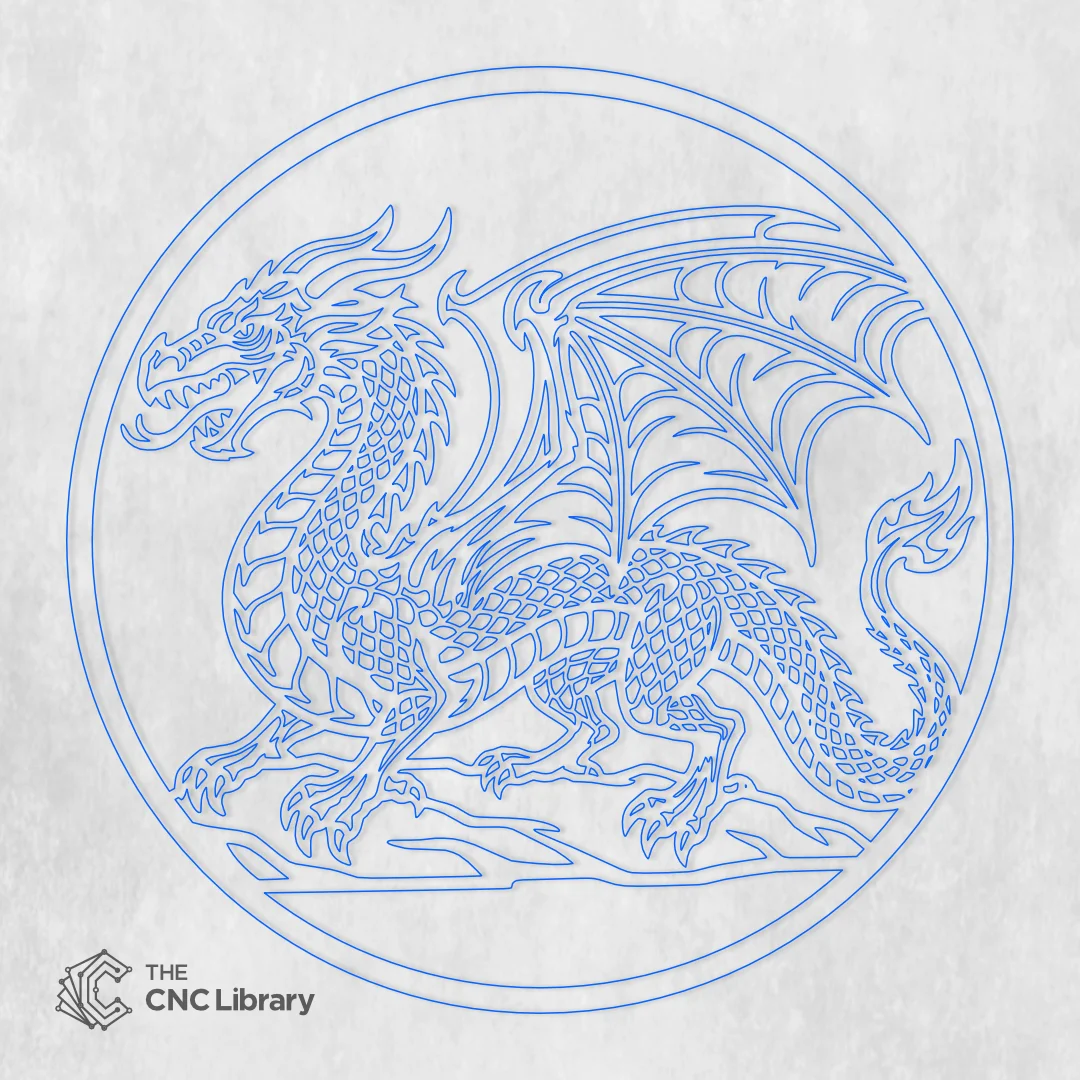
medieval dragon cnc file – Premium Mythical Gothic Wall Art Vector Bundle
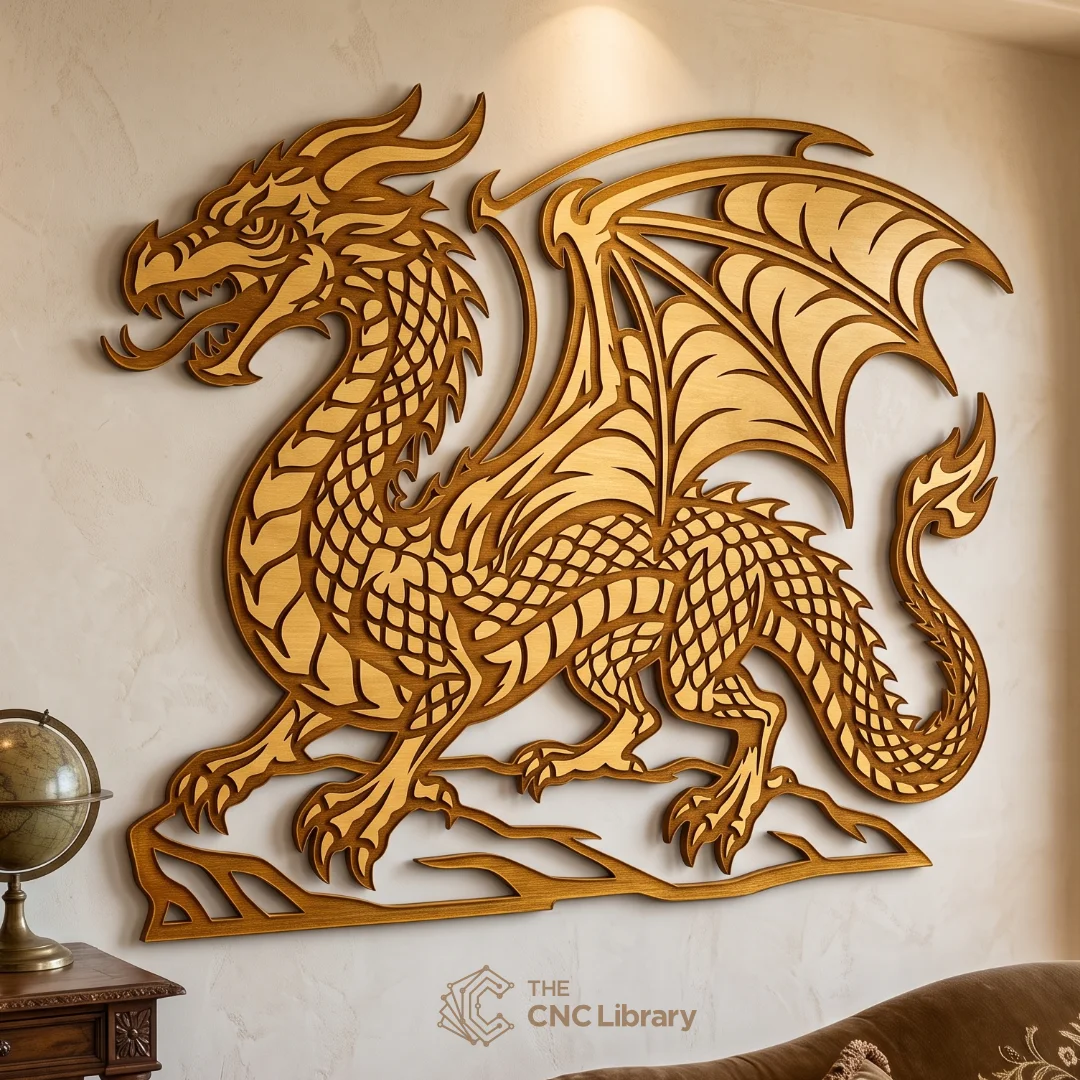
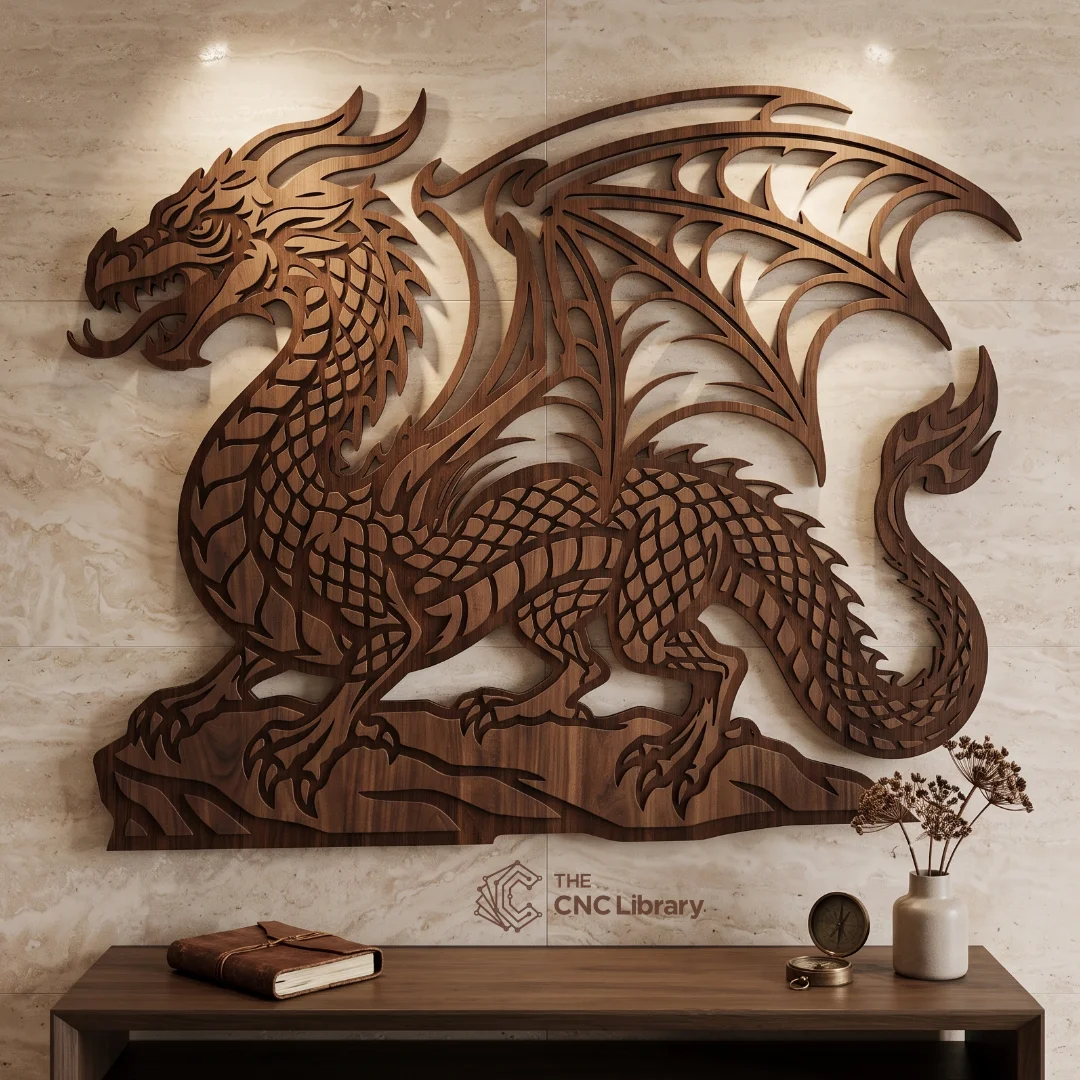
Elevate your woodworking, plasma metal fabrication, or laser cutting projects with our professionally engineered medieval dragon cnc file. This gothic fantasy wall sculpture design captures the fierce elegance of legendary dragon lore, featuring intricate body scales, expansive webbed wings, sharp talons resting upon a rocky ledge, and a stylized flame tail. Designed with precision geometry and zero overlapping nodes, this digital vector file allows creators, makers, and small business owners to produce high-value focal wall decor that demands attention in living rooms, game dens, offices, or commercial venues.
Whether you are crafting a dark walnut wood carving, an antique gold metallic wall crest, or a heavy-duty plasma-cut steel sign, this versatile digital package delivers flawless performance on all CNC machining hardware.
Key Features & Vector Optimization
-
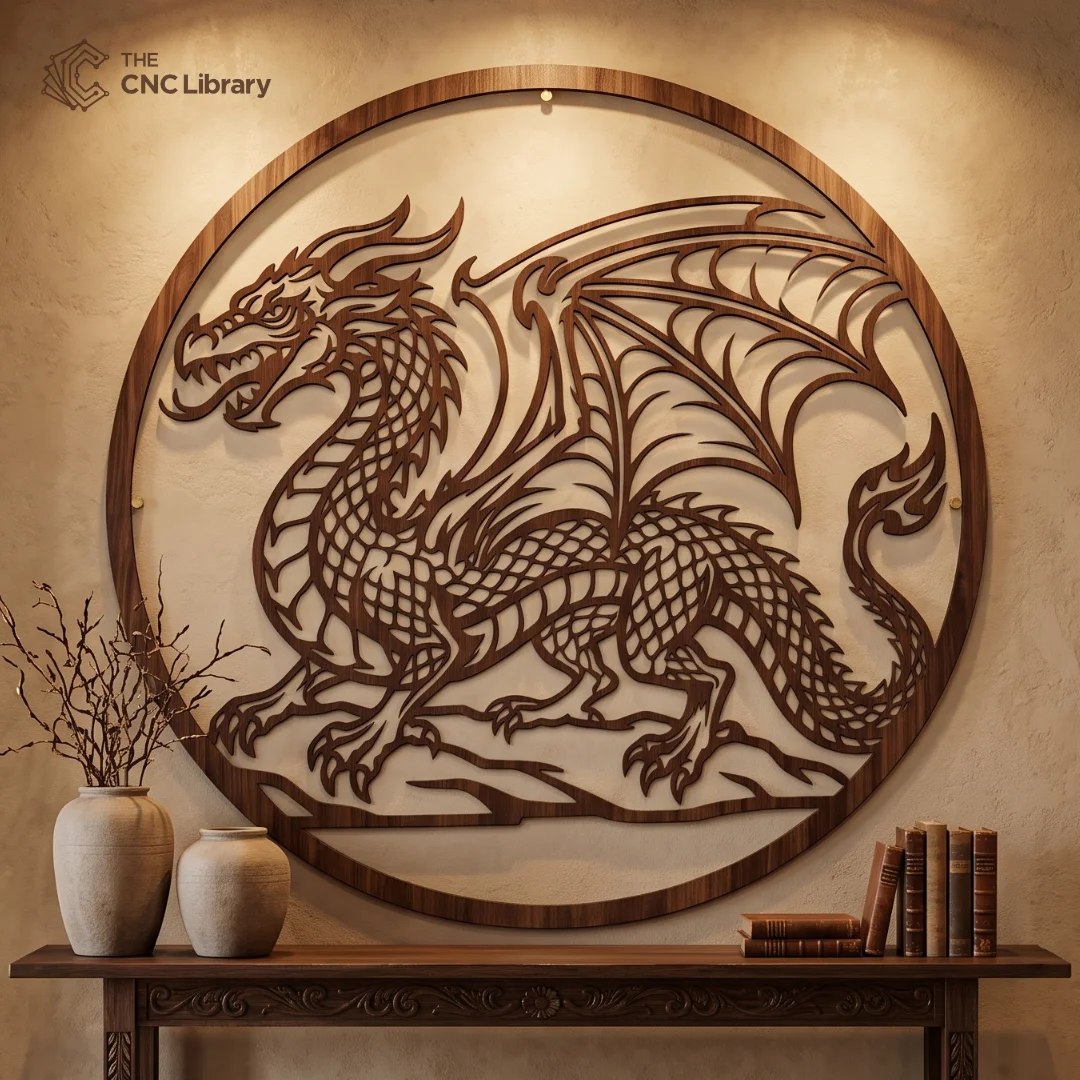
Dual Artwork Layouts Included: This bundle features two distinct cutting formats within a single download—a circular framed emblem crest perfect for round medallions and wall plaques, and a standalone sculpted dragon outline for dynamic edge-to-edge wall installations.
-
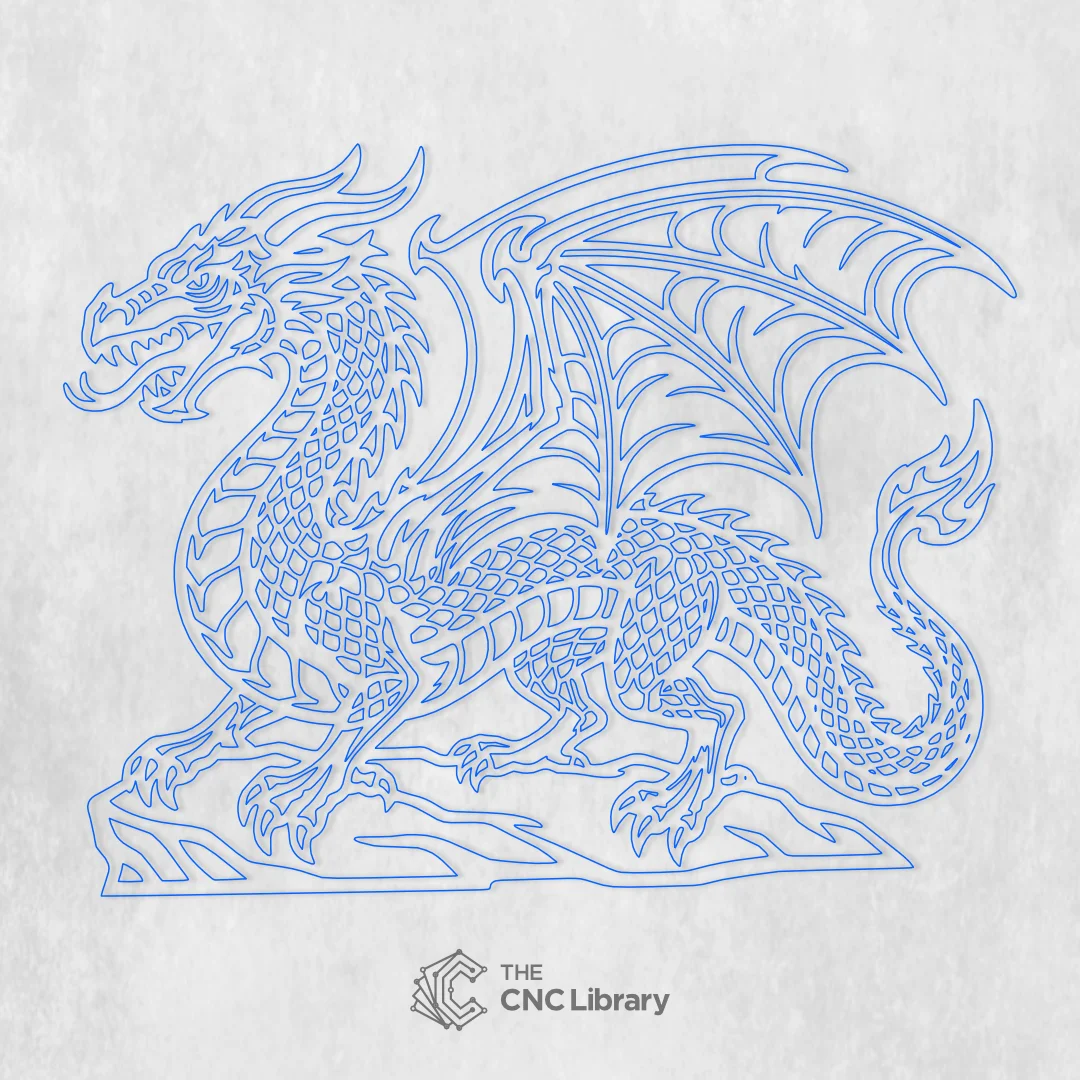
Flawless Vector Geometry: Node count has been meticulously optimized for maximum smoothness without sacrificing fine scale and wing details.
-
100% Closed Vector Paths: Every vector line is completely closed and validated to prevent cutter trajectory errors, double cuts, or unwanted open-line jumps in your CAM software.
-
Fully Scalable Without Detail Loss: Designed at native vector resolution, you can scale this artwork from a compact 12-inch desk medallion up to an epic 48-inch or 60-inch grand statement wall piece without jagged lines or distortion.
-
Clean Inner Bridge Geometry: All negative space openings are balanced with structural bridges to prevent structural fragility when cutting thin plywood, veneer, or sheet metal.
Recommended Materials & Thickness Guidelines
Our vector file has been thoroughly tested across various material types and structural thicknesses:
-
Plywood & Hardwoods (Walnut, Oak, Cherry, Birch):
-
Recommended Thickness: 4mm to 12mm (1/8″ to 1/2″).
-
Best Practice: Use 6mm (1/4″) cabinet-grade Baltic Birch plywood or natural Dark Walnut solid timber for high contrast. Thin wood veneers can also be layered onto darker backer boards to create striking two-tone contrast.
-
-
MDF (Medium-Density Fibreboard):
-
Recommended Thickness: 6mm to 18mm (1/4″ to 3/4″).
-
Best Practice: MDF provides an ultra-smooth substrate for spray coating, metallic gilding, or hand antiquing.
-
-
Sheet Metal & Steel (Plasma, Fiber Laser, Waterjet):
-
Recommended Thickness: 14-gauge to 10-gauge steel or aluminum.
-
Best Practice: Powder coat in matte black, oil-rubbed bronze, or rusted patina finishes for outdoor gates, fence inserts, or industrial wall plaques.
-
-
Acrylic & PMMA:
-
Recommended Thickness: 3mm to 6mm (1/8″ to 1/4″).
-
Best Practice: Cast opaque black or mirrored gold acrylic creates a sleek modern gothic aesthetic with high reflective depth.
-
Production & Finishing Inspiration
This design offers endless creative possibilities for finishing and layering:
-
Classic Dark Walnut Stained Wood: Cut the silhouette from rich hardwood, apply a dark walnut stain, and seal with satin polyurethane. Mount against light-colored neutral walls to make the deep dragon silhouette pop with natural organic beauty.
-
Royal Gold Metallic Leaf Finish: Prime an MDF cutout with high-build primer, spray coat with rich burnished gold or apply genuine gold leafing, followed by a dark wax wash over the scale lines to highlight every intricate detail.
-
Multi-Layered Standoff 3D Panel: Cut the outer circular frame and backboard in a dark contrasting color, then layer the gilded or stained dragon foreground on top using 5mm spacers to create an eye-catching 3D shadow box effect.
-
LED Halo Backlighting: Install a warm LED strip behind the wooden or metal cutout. The wide wing spans and open scale cutouts will cast dramatic, warm backlighting across the surrounding wall.
Machine Compatibility & Included File Formats
Your digital download includes a organized ZIP file containing universal vector formats ready for immediate import into your software:
-
SVG (Scalable Vector Graphics): Optimized for LightBurn, Cricut Design Space, Silhouette Studio Designer, Inkscape, and web rendering.
-
DXF (Drawing Exchange Format): Compatible with AutoCAD, SolidWorks, Fusion 360, Vectric Aspire, VCarve Pro, CorelDRAW, and plasma CNC controllers (Torchmate, Mach3).
-
EPS (Encapsulated PostScript): Ideal for Adobe Illustrator, Roland CutStudio, and commercial sign-making software.
-
PDF (Vector Document): Perfect for high-resolution printing, manual scroll saw template tracing, or vector viewing on any device.
Works seamlessly with CO2 Laser Cutters (Gweike, Omtech, Glowforge, Thunder Laser), Fiber Lasers, CNC Routers (Shapeoko, X-Carve, Avid CNC), Waterjet cutters, and Plasma CNC rigs.
Step-by-Step Cutting & CAM Setup Guide
To achieve the best results when manufacturing your dragon sculpture:
-
Importing the File: Open your desired format (SVG or DXF) in your CAM software (e.g., LightBurn or VCarve Pro).
-
Scaling: Set your desired dimensions. If scaling down below 12 inches (30cm), verify that your laser beam kerf or router bit diameter (e.g., 1/16″ endmill) can traverse the tightest scale inner cutouts smoothly.
-
Toolpath Assignment:
-
Laser Users: Set inner scale cutouts to cut first (Inside Cuts), followed by the outer perimeter contour (Outside Cut).
-
CNC Router Users: Assign an inside profile toolpath with tabs for small interior cutouts, and an outside profile toolpath with holding tabs for the main body perimeter.
-
-
Post-Cut Cleanup: Lightly sand the surface with 220-grit sandpaper to remove laser burn residue or burrs before applying stain, paint, or topcoat.
Commercial License & Terms of Use
-
Commercial Goods Usage: You are fully licensed to cut, craft, and sell physical products (finished wall art, signs, gifts) made from this vector file for personal use or commercial sales with no quantity limits.
-
Digital Rights Protection: Redistribution, re-selling, sharing, sub-licensing, or uploading of the underlying digital vector files (SVG, DXF, EPS, PDF) in any digital format or on print-on-demand digital file repositories is strictly prohibited.

Reviews
There are no reviews yet.