
Rise Beyond Limits with the digital phoenix cnc file
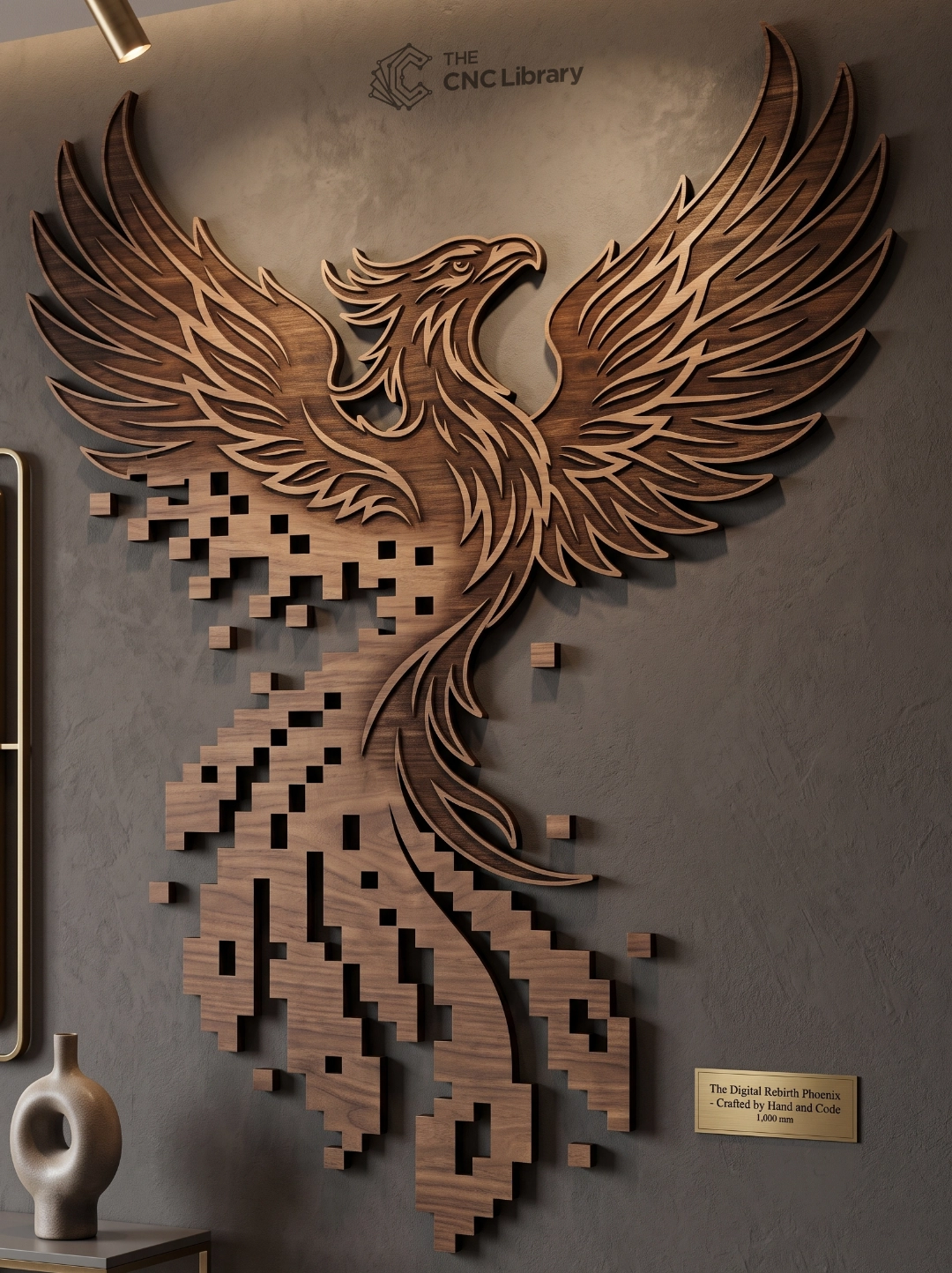
The digital phoenix cnc file is a cutting-edge vector package designed for crafting high-impact wood panel murals, modern acrylic wall features, and laser-cut metal decor. Fusing ancient mythological symbolism with contemporary digital aesthetics, this artwork depicts a majestic phoenix rising upward as its trailing tail dissolves into floating pixel blocks. The concept symbolizes digital rebirth, technological transformation, and emerging stronger from challenges—making it an ideal decor piece for tech startups, gaming rooms, modern offices, and creative studios.
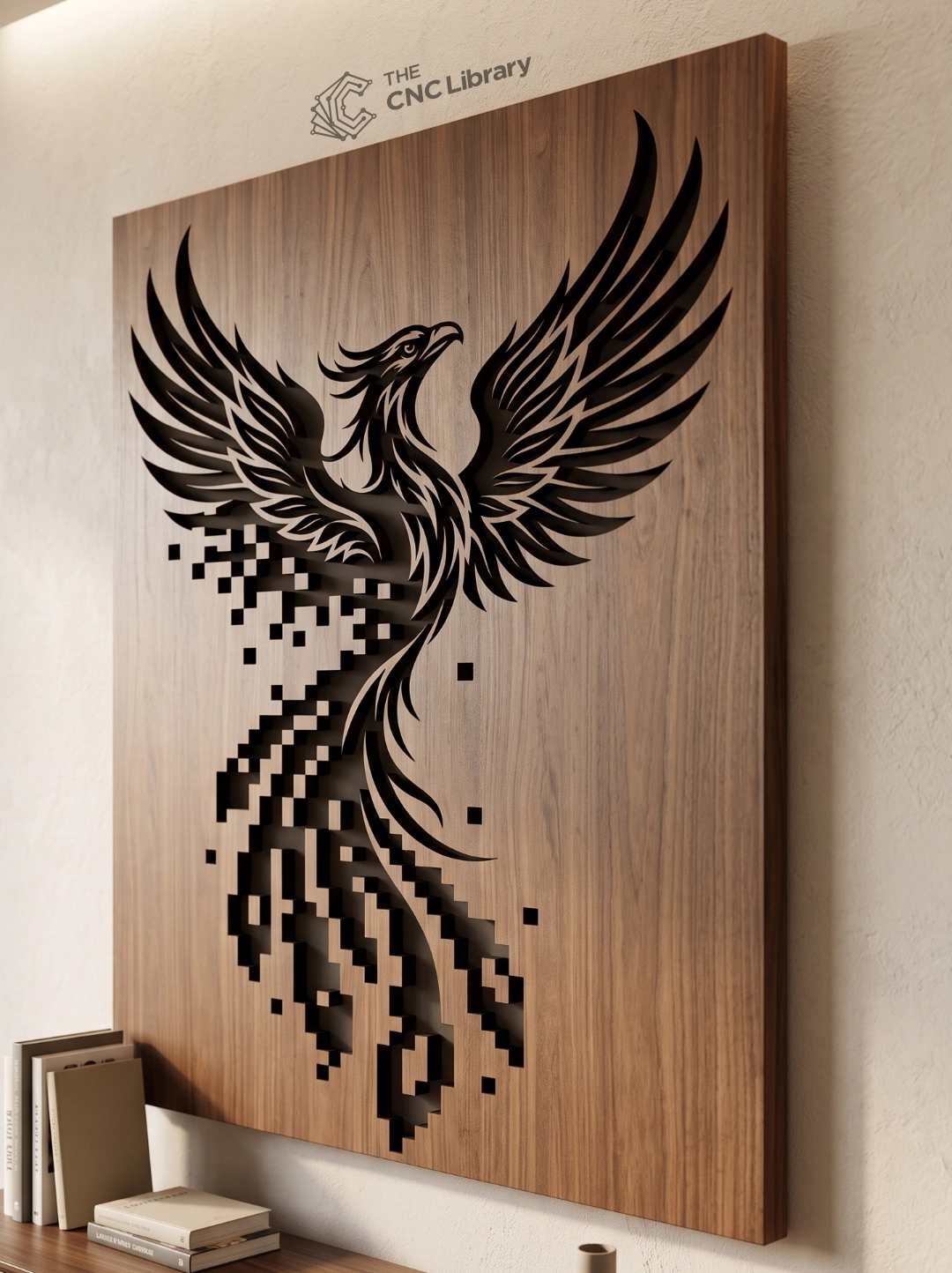
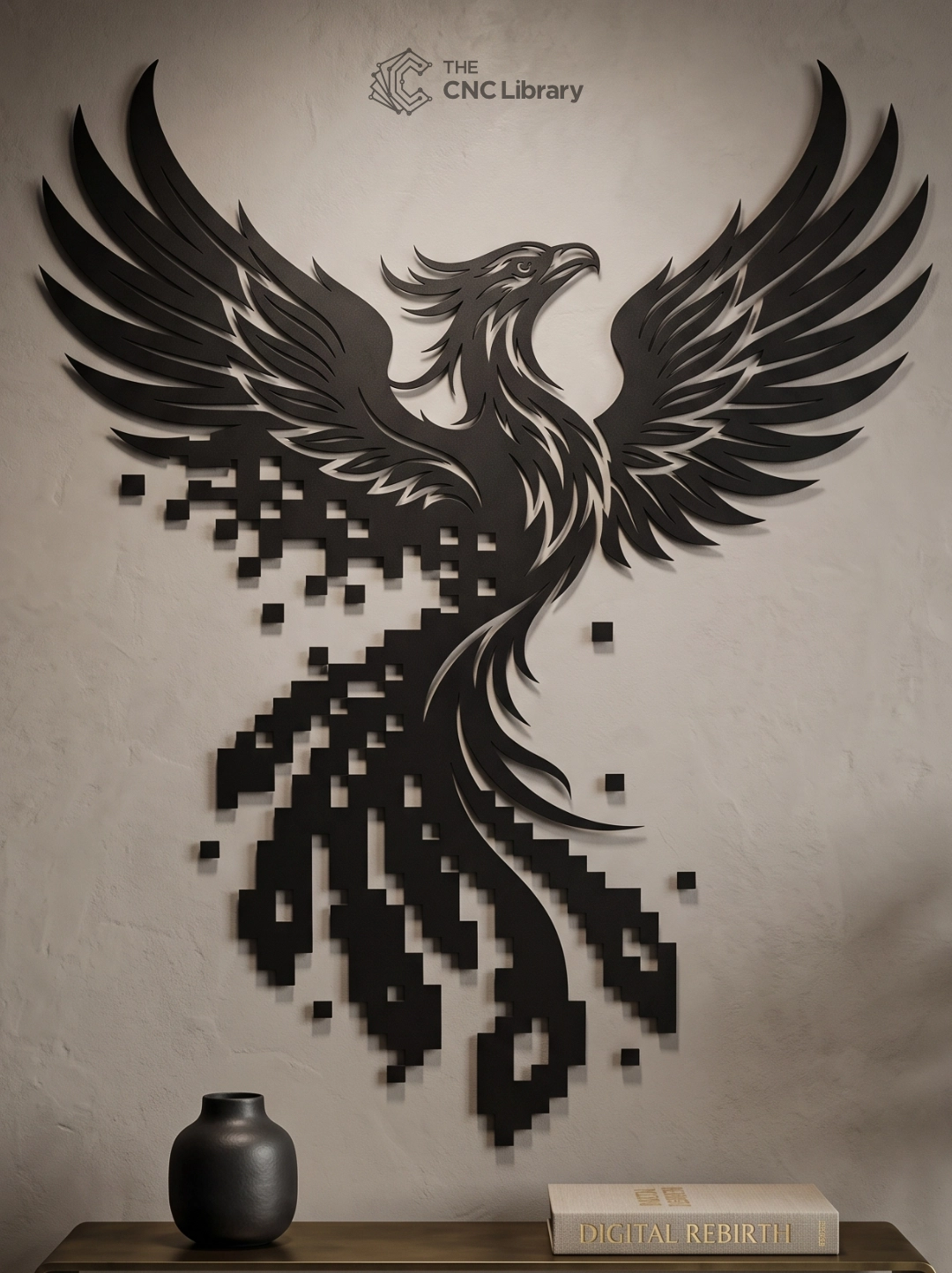
This vector package offers dual-manufacturing flexibility: cut it as a full negative inlay carved directly into a solid wood panel (such as rich Walnut or Oak) or produce it as an independent floating black wall silhouette.
Precision Vector Engineering & Pixel Dispersion Integrity
Crafting clean geometric pixels alongside flowing organic feathers requires uncompromising vector cleanliness. This digital phoenix cnc file has been rigorously engineered for flawless machine production:
-
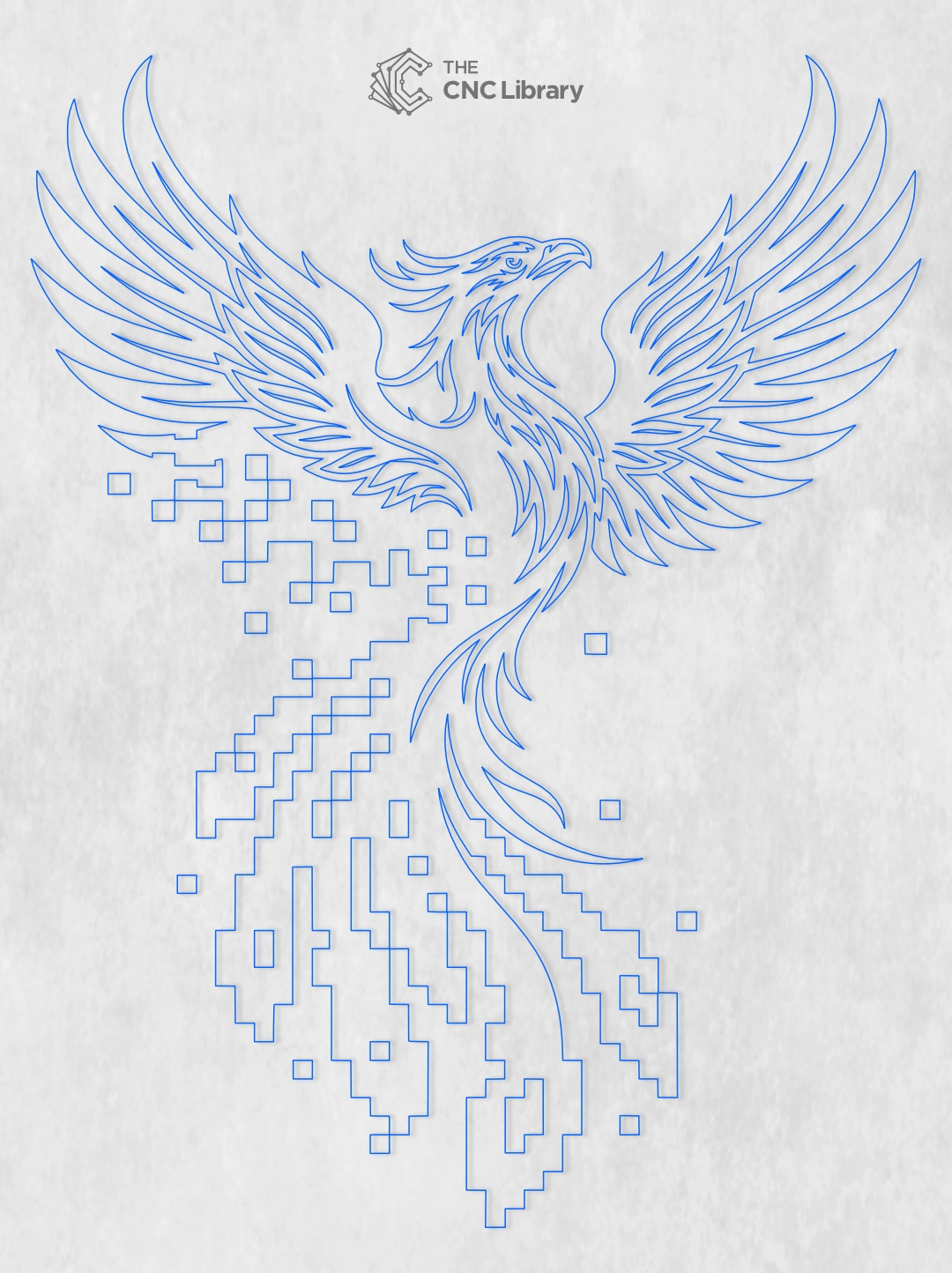
100% Closed Vector Loops: Every pixel square, feather blade, and wing outline is rendered as a fully closed path to prevent software vector gaps or erratic toolhead movements.
-
Clean Node Geometry: Corner nodes on the pixel grid are strictly squared, while the upper wings feature smooth Bezier curves, ensuring sharp pixel corners and fluid wing lines.
-
Kerf & Tooling Tolerances: Line spacing on floating pixel blocks is pre-adjusted to maintain structural bridges or clean laser cut-outs without burning away thin material sections.
-
Dual-Format Suitability: Formatted both for full panel engraving/pocketing and standalone silhouette cutout cutting.
Key Architectural & Artistic Highlights
This artwork seamlessly bridges natural organic form with digital geometry:
-
Sleek Crest & Beak Profile: High-detail head with a proud crest and sharp beak turned upward toward the sky.
-
Sweeping Feathered Wings: Layered wing feathers extending outward to create dramatic horizontal and vertical scale.
-
Pixel Dispersion Trail: Dynamic transition where long tail feathers fragment into isolated square data blocks, simulating digital dematerialization.
Recommended Materials & Workshop Finishing Techniques
This design yields stunning results across a variety of substrates and finishing methods:
-
Solid Wood Panels (Carved Look): Router-carve or laser-engrave the silhouette into a 3/4″ (18mm) solid Walnut or Cherry board, painting the recessed pockets black or lining them with dark resin.
-
Plywood & MDF (Silhouette Look): Cut from 1/4″ (6mm) Baltic Birch or HDF, spray painted in satin or matte black, and mounted against light interior walls.
-
LED Backlit Acrylic: Cut from opaque black acrylic and back-mount onto frosted acrylic with warm LED strip lighting to illuminate the floating pixel cutouts.
-
Sheet Metal & Steel Plasma: Cut from 14-gauge steel and finish with a dark powder coat or oiled rust patina for an industrial look.
Step-by-Step CAM & Workshop Setup Guide
-
Import & Scale: Open your CAD/CAM software (Vectric VCarve Pro/Aspire, LightBurn, Fusion 360, Inkscape) and import the SVG or DXF file. Scale the artwork to match your target wall space (recommended height: 24″ to 60″).
-
Select Production Method:
-
For Wood Panel Inset/Pocketing: Select a 1/8″ or 1/16″ endmill for clearance pocketing inside the phoenix boundary, and finish pixel corners using a 60° V-bit.
-
For Standalone Silhouette Cut: Assign a 1/8″ downcut endmill (CNC) or full-power vector cut pass (laser) along the outer perimeter and interior pixel cutouts.
-
-
Configure Feeds & Speeds: Set spindle RPM and feed speeds according to your machine capabilities and material density to prevent wood burning on tight pixel corners.
-
Material Securing: Secure the stock sheet using a vacuum table, hold-down clamps, or painter’s tape with CA glue to prevent small pixel cutouts from shifting into the cutter path.
-
Sanding & Mounting: Lightly sand edges with 220-grit sandpaper, apply stain or paint finish, and install using French cleats, standoff mounts, or heavy-duty mounting tape.
Machine Compatibility & Included File Formats
The downloaded zip archive contains clean vector formats compatible with all major digital cutting platforms:
-
SVG: Optimized for LightBurn, Inkscape, Adobe Illustrator, Cricut Design Space, and xTool Creative Space.
-
DXF: Formatted for AutoCAD, Vectric VCarve Pro / Aspire, Fusion 360, and standard CNC controllers.
-
EPS: Compatible with CorelDRAW and commercial sign plotters.
-
PDF: High-resolution vector blueprint for client previews, printing, or manual scroll saw cutting.
Commercial License & Usage Terms
-
Commercial Small Business License: Your purchase includes a license to manufacture and sell up to 500 physical finished products per year at craft fairs, local decor shops, or online storefronts.
-
Digital Copyright Protection: You MAY NOT share, resell, sub-license, distribute, or upload the digital vector files (SVG, DXF, EPS, PDF) or any modified derivative files to any cloud drive or online platform.
-
Digital Purchase Notice: This product is an instant digital download listing. No physical wood panel, frame, or physical artwork will be shipped.
Reviews
There are no reviews yet.