
floating island bonsai cnc file – Serene Japanese Zen Wall Art Vector Cut File
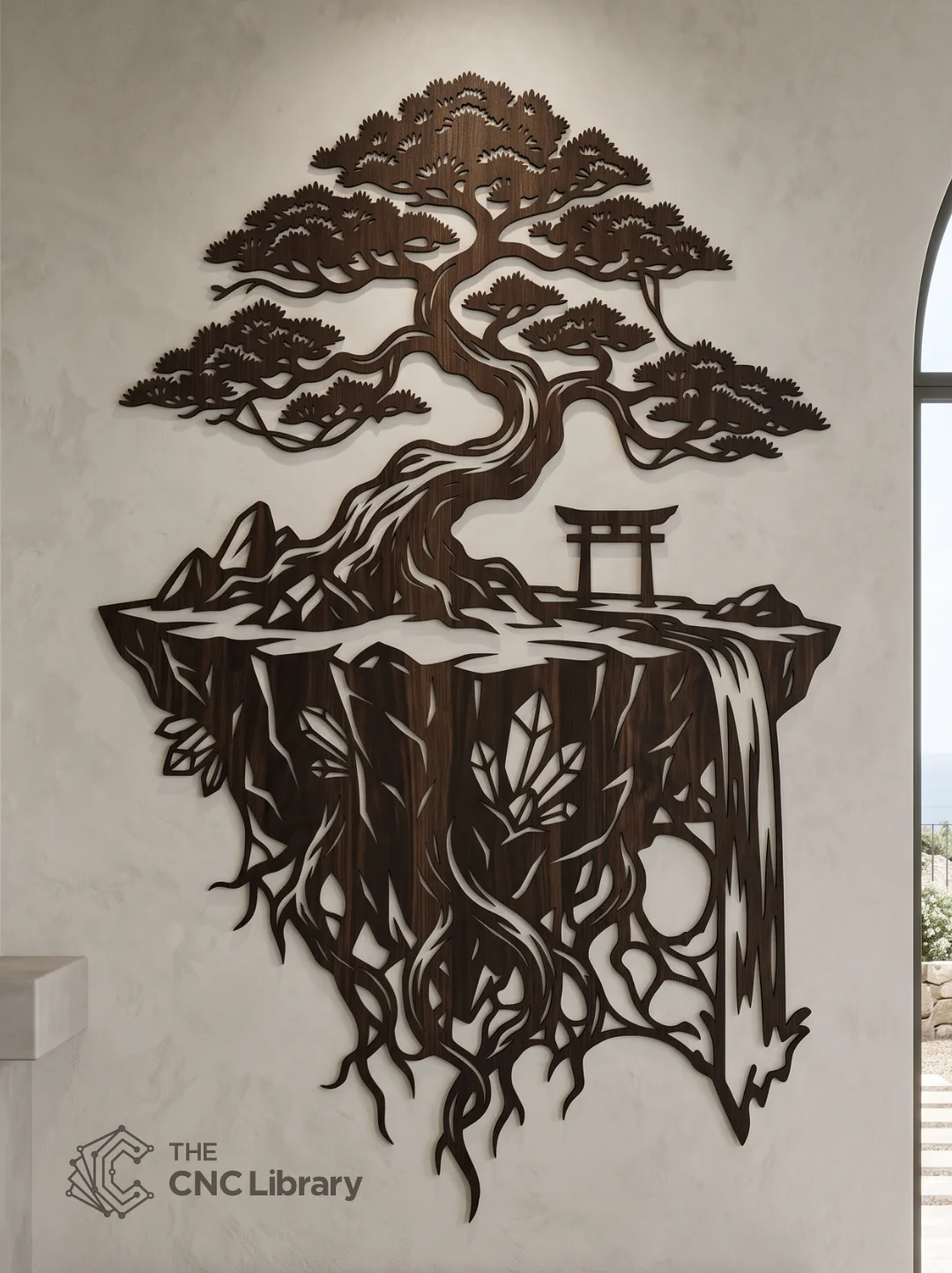
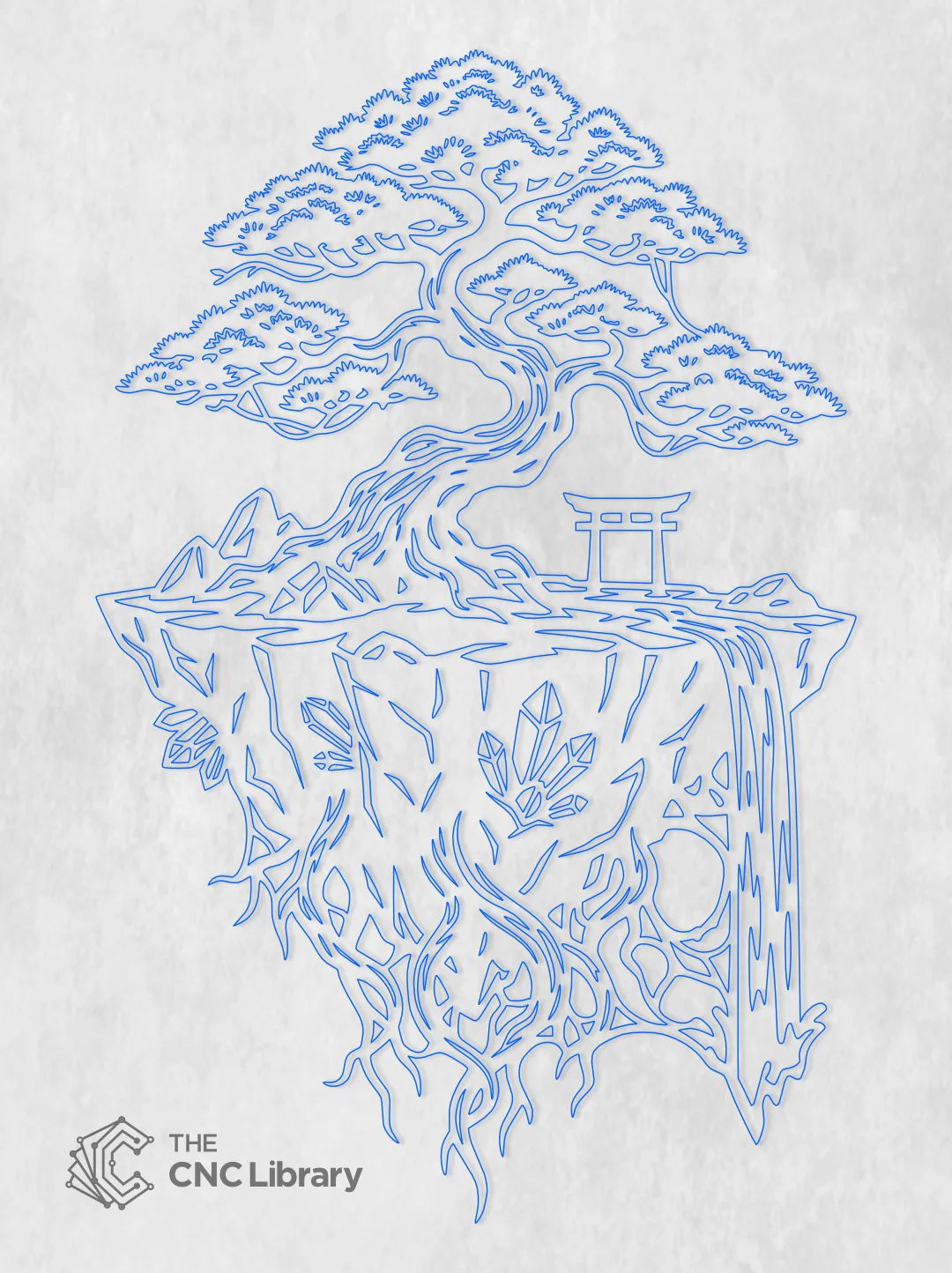
Bring an aura of tranquility, spiritual balance, and breathtaking fantasy into your interior decor or commercial product catalog with our premium floating island bonsai cnc file. This exquisitely detailed digital vector design captures the essence of a serene Japanese zen garden suspended in mid-air. The artwork features an ancient, sprawling bonsai tree perched atop a floating earthen landmass. A traditional Japanese Torii gate stands proudly at the edge, symbolizing the transition from the mundane to the sacred, while a tranquil waterfall cascades off the rocky cliffside. Beneath the floating island, an intricate network of dangling roots and embedded crystal shards adds a touch of mystical fantasy to the composition.
Whether you are crafting a deep dark walnut wood carving for a meditation room, a rusted metal garden silhouette, or a modern acrylic wall panel, this digital vector cut file provides the perfect foundation. Meticulously engineered for makers, hobbyists, and professional digital fabrication shops, this file guarantees a stunning, high-value finished product that commands attention.
Key Features & Vector Optimization
-
Intricate Yet Structurally Sound: The design balances breathtaking aesthetic complexity with absolute structural integrity. The delicate hanging roots, cascading water lines, and sprawling bonsai branches have been engineered with calculated thicknesses to prevent breaking during the cutting process.
-
Precision Node Management: We have heavily optimized the vector paths, drastically reducing unnecessary nodes. This ensures your laser head or CNC router bit glides smoothly along the curves, minimizing machine judder, reducing cutting time, and eliminating burn marks on sharp corners.
-
100% Closed Vector Paths: Every single line, from the majestic Torii gate to the smallest subterranean crystal, is a fully closed loop. You will not encounter any open vectors, intersecting paths, or CAM toolpath errors.
-
Infinite Scalability: Designed natively in a high-resolution vector environment, this artwork can be scaled down for an 18-inch living room accent or blown up to an epic 60-inch grand lobby centerpiece without any loss of clarity, crispness, or proportional balance.
Recommended Materials & Thickness Guidelines
This versatile vector file is highly adaptable and performs exceptionally well across various sheet materials:
-
Plywood & Premium Hardwoods (Dark Walnut, Mahogany, Birch):
-
Recommended Thickness: 4mm to 9mm (1/8″ to 3/8″).
-
Best Practice: As seen in the reference mockup, using a rich, dark hardwood like Walnut creates a striking silhouette against light-colored walls. Baltic birch plywood is also an excellent, cost-effective choice for those planning to stain or paint the final piece.
-
-
MDF (Medium-Density Fibreboard):
-
Recommended Thickness: 6mm (1/4″).
-
Best Practice: MDF is perfect for crafting smooth, solid-color painted pieces. Use a high-quality primer before applying matte black or forest green finishes.
-
-
Sheet Metal Fabrication (Steel, Aluminum):
-
Recommended Thickness: 16-gauge to 12-gauge mild steel.
-
Best Practice: Cut via CNC plasma, fiber laser, or waterjet. A rusted patina finish or a powder-coated matte black gives the floating island an incredible industrial-zen crossover appeal.
-
-
Acrylic & Plastics:
-
Recommended Thickness: 3mm to 6mm (1/8″ to 1/4″).
-
Best Practice: Use cast acrylic for the cleanest laser-cut edges. Frosted green or jet-black acrylic creates a beautiful modern art installation.
-
Production & Finishing Inspiration
Elevate your craftsmanship and create highly desirable physical products with these finishing techniques:
-
The Floating Shadow Effect: Mount the finished cutout 1 to 2 inches off the wall using metallic or wooden standoff hardware. When room lighting hits the complex bonsai canopy and dangling roots, it casts a mesmerizing, dynamic shadow that makes the island truly appear to float in mid-air.
-
Two-Tone Resin Infusion: For advanced makers, cut the design from thick wood and pour translucent blue epoxy resin into the negative space of the cascading waterfall to create a stunning mixed-media masterpiece.
-
Zen Illumination: Install warm, diffused LED strip lights behind the central landmass. The backlight will spill out through the roots, water, and tree branches, turning this wall art into a beautiful ambient night light for bedrooms or yoga studios.
Machine Compatibility & Included File Formats
Your purchase includes a meticulously organized digital download folder containing universal vector formats, ready for immediate import into your control software:
-
SVG (Scalable Vector Graphics): The industry standard for laser cutters like Glowforge, OMTech, xTool, and software like LightBurn and Cricut Design Space.
-
DXF (Drawing Exchange Format): The go-to format for CNC routers, plasma cutters, and CAD/CAM software including VCarve Pro, Fusion 360, and AutoCAD.
-
EPS (Encapsulated PostScript): Ideal for professional graphic designers using Adobe Illustrator or CorelDRAW for further commercial customization.
-
PDF (Vector Document): Perfect for easy high-resolution viewing, client proofing, or printing for manual scroll saw template tracing.
Works flawlessly with CO2 Lasers, Fiber Lasers, Diode Lasers, CNC Routers (Shapeoko, X-Carve, Onefinity), and CNC Plasma tables.
Step-by-Step Cutting & CAM Setup Guide
Ensure a perfect cut on your first attempt by following these simple setup instructions:
-
Importing & Scaling: Open the SVG or DXF file in your CAM software (e.g., LightBurn). Scale the design to your desired dimensions. Crucial Note: If scaling down below 16 inches, verify that the thinnest hanging roots are wider than your laser’s kerf or your router’s smallest endmill (e.g., 1/16″ bit) to prevent material failure.
-
Assigning Toolpaths:
-
Step 1: Select all the inner negative-space cutouts (the gaps between the branches, roots, and waterfall). Assign these to cut first (Inside Cut).
-
Step 2: Select the main outer continuous silhouette. Assign this to cut last (Outside Cut) to ensure the material remains perfectly stable during the intricate interior detailing.
-
-
Post-Processing: Once cut, use 220-grit sandpaper to gently buff away any smoke residue or burrs, paying special attention to the fragile Torii gate and lower roots before applying your stain or clear coat.
Commercial License & Terms of Use
-
Physical Product Sales: You are fully authorized to manufacture, craft, and sell unlimited physical items (such as wooden wall decor, metal signs, and acrylic art) created using this vector file. Perfect for Etsy sellers, local craft fairs, and boutique decor shops.
-
Digital File Protection: You are strictly prohibited from reselling, sharing, distributing, or sub-licensing the underlying digital files (SVG, DXF, EPS, PDF) in any form. You may not upload these designs to print-on-demand digital libraries or modification platforms.
Reviews
There are no reviews yet.